

Summarize this documentation using AI
Most teams migrating to Customer.io are not running away from a broken tool. They are running toward a different philosophy of how lifecycle marketing should work.
Customer.io is built around a single conviction: every message your product sends should be triggered by what a person actually does, not by a schedule someone built in a spreadsheet. It is an event-driven, API-first behavioral messaging platform designed for product and engineering-led teams who want direct control over their data, their logic, and their send behavior — without a platform administration layer between them and their customers.
That is a very specific value proposition. And it is exactly why teams migrating to Customer.io from tools like Klaviyo, HubSpot, Mailchimp, ActiveCampaign, or Braze are not all making the same decision for the same reasons. Each migration has its own shape. This guide covers the common ground — and links to the platform-specific guides for the details that actually matter.
At Propel, we are a certified Customer.io partner. We have run Customer.io implementations and migrations across SaaS, subscription, fintech, and consumer app brands. What follows is the complete migration guide — built for teams that want to understand what they're getting into before they commit.
What Customer.io Is Actually Built For
Before any migration decision is made, this question has to be answered honestly: is Customer.io the right fit for where your team is going?
Customer.io is a behavioral messaging platform. It is designed for teams who:
Send triggered, event-based messages — not primarily batch-scheduled broadcasts.
Have product behavioral data they want to use directly in lifecycle logic without manual re-imports.
Work in a SaaS, subscription, or app-first business model where user behavior inside the product is the primary signal for lifecycle marketing.
Have a developer or technical operator who can instrument the API or SDK and maintain the event schema over time.
Need Liquid templating depth, webhook actions, and data pipeline flexibility that consumer-grade ESPs don't provide.
Customer.io is not the right fit for teams that are primarily ecommerce-focused with heavy reliance on native Shopify or BigCommerce integrations, or for teams that need a fully no-code, marketer-only tool with no engineering involvement. If that sounds like your situation, a tool like Klaviyo is likely a better match — and understanding what Customer.io is not is as useful as understanding what it is.
For everyone else — SaaS teams hitting the ceiling of HubSpot's CRM-first model, subscription businesses that have outgrown Mailchimp's batch logic, product-led companies that need behavioral triggers firing from their app within seconds of an action — Customer.io's architecture is purpose-built for the job.
The Core Architecture: What Makes Customer.io Different
Understanding Customer.io's data model before you start the migration is the difference between a clean implementation and six months of technical debt.
People and Attributes. Every user in Customer.io is a Person with Attributes — key-value pairs that describe their current state. Name, plan type, trial end date, feature adoption flags — all of these live as Attributes that can be used in segmentation, campaign entry conditions, and Liquid personalization.
Events. Every behavioral action is a tracked Event with properties. A user completes onboarding: onboarding_completed fires with properties like steps_completed and time_to_complete. A user upgrades their plan: plan_upgraded fires with from_plan, to_plan, and mrr_delta. These events are the triggers that power every Campaign in Customer.io. Getting your event schema right is the most important technical decision in the migration — everything downstream depends on it.
Campaigns vs. Broadcasts. Customer.io distinguishes between Campaigns (triggered by events or segment entry, running continuously) and Broadcasts (one-time sends to a segment, scheduled or API-triggered). Most lifecycle logic lives in Campaigns. Understanding this distinction before rebuilding your existing automations matters — an abandoned cart sequence is a Campaign; a product announcement is a Broadcast.
Liquid Templating. Customer.io uses Liquid for message personalization. It is expressive, well-documented, and flexible enough to handle conditional content blocks, loops through event properties, date formatting, and complex personalization logic without requiring a developer for every template edit. Teams migrating from tools with more limited personalization engines find this to be an immediate capability upgrade. For teams migrating from Braze, the Liquid dialect differs — personalization tags must be remapped, but the language structure is familiar.
Journeys. Customer.io's visual workflow builder — Journeys — handles multi-step, multi-branch lifecycle sequences with time delays, conditional splits, A/B test branches, and webhook actions. It is not as visually elaborate as some competitors, but its logic is precise and its connection to the underlying event stream is direct.
Data Pipelines. Customer.io's Data Pipelines product enables bidirectional data flow between Customer.io and your data warehouse, Segment, or other sources — allowing warehouse-first teams to use SQL-defined audiences as campaign entry conditions without building custom API integrations.
Who Migrates to Customer.io, and Why
SaaS Teams Leaving HubSpot
HubSpot's workflow logic is property-update-based and built for B2B sales processes. SaaS teams trying to run product-led lifecycle marketing on HubSpot — triggering campaigns off feature usage, in-app behavior, or trial milestone events — are working against the tool's architecture. Customer.io's event-driven model is built for exactly this use case. The migration is as much a data model redesign as a platform switch.
Subscription Brands Leaving Mailchimp
Mailchimp's automation logic is batch-scheduled and list-based. For subscription businesses where the lifecycle program depends on real-time behavioral signals — trial expiration, payment failure, feature adoption milestones — Mailchimp's model creates latency that directly affects retention metrics. Customer.io's event-based triggers fire in seconds, not hours.
B2C and DTC Teams Leaving Klaviyo
Klaviyo is built for ecommerce and excels at it. Teams migrating to Customer.io from Klaviyo are typically product-first or app-first businesses that need behavioral lifecycle logic beyond what Klaviyo's ecommerce-native model was designed to support. The subscription retention strategies that define their programs require event-depth that Klaviyo's flow builder constrains.
Enterprise Teams Leaving Braze
Teams moving from Braze to Customer.io are typically making an operational simplicity decision, not a capability downgrade. For programs that don't require Braze's mobile SDK depth or Connected Content, Customer.io offers a lighter, more operator-friendly model at a more favorable price point for teams whose MAU count makes Braze's pricing structure difficult to justify.
Teams Leaving ActiveCampaign, Drip, Intercom, or Omnisend
Each of these represents a different migration pattern with its own data mapping requirements. The common thread: all are platforms with constraints that product-led and lifecycle-mature teams outgrow, and Customer.io's event-driven, API-first architecture is the natural next step for teams that have genuinely outgrown their current tool's logic model.
What the Migration Actually Involves
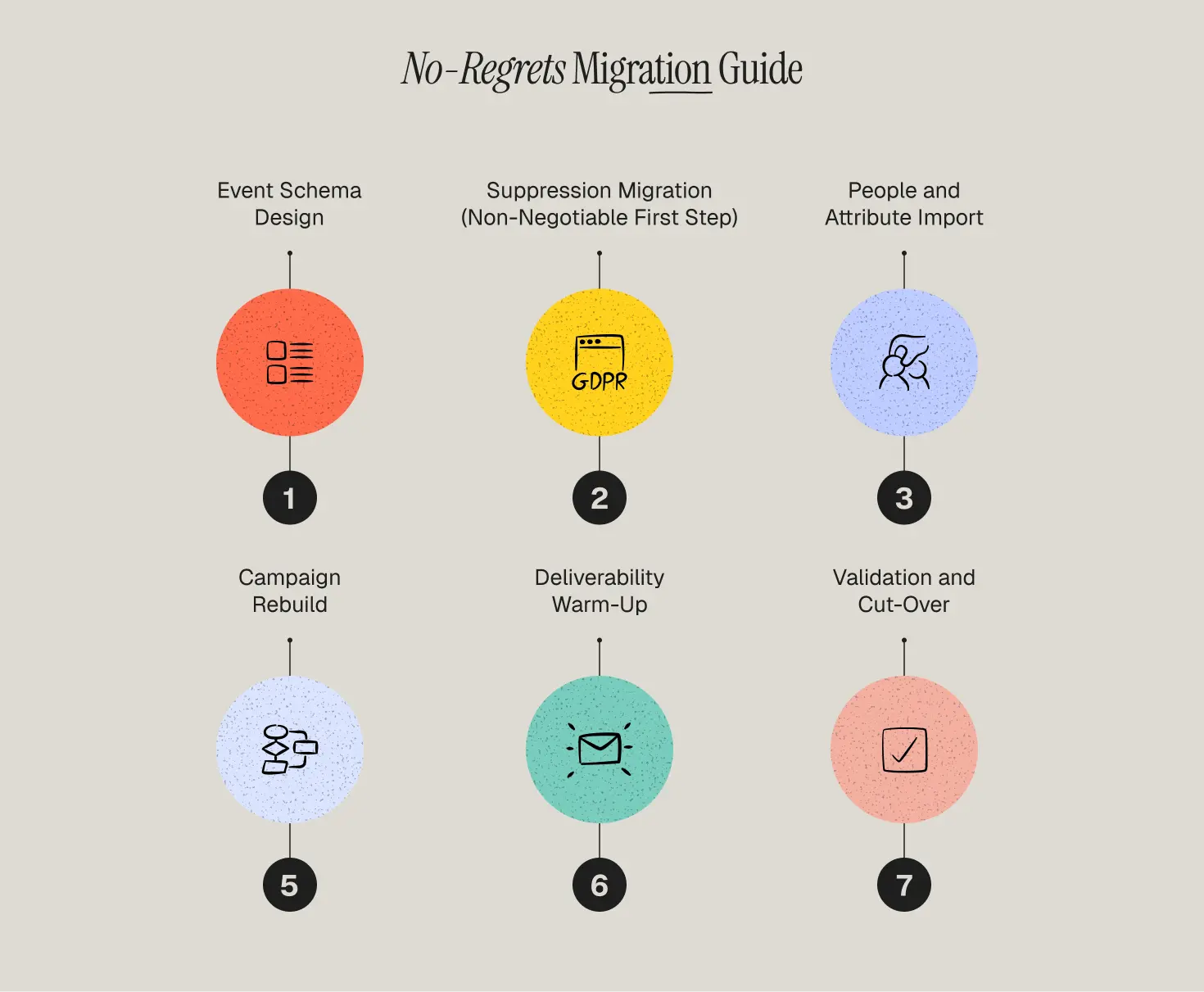
1️⃣ Step 1 — Event Schema Design
This is the most important phase of the migration and the one most teams underinvest in.
Before a single Campaign is built or a single Person is imported, your event schema needs to be fully designed and documented. Every event Customer.io will receive — its name, its trigger source, and every property it carries — must be defined. The segment conditions, campaign entry logic, and Liquid personalization that everything else depends on are built on top of this schema. Change the schema after Campaigns are live and you're rebuilding.
This is the work we cover in our lifecycle strategy and events and attributes architecture practice — not just defining what events to track, but designing the schema that your lifecycle logic can actually be built on.
2️⃣ Step 2 — Suppression Migration (Non-Negotiable First Step)
Unsubscribes, hard bounces, and SMS opt-outs move before any active contacts. Customer.io manages global email unsubscribes and per-topic subscription preferences through its Subscription Center. Every suppressed contact must be imported with the correct suppression state before any Campaign is activated. This is a compliance requirement, not a preference.
3️⃣ Step 3 — People and Attribute Import
Active contacts import via CSV or the Customer.io API. Every Attribute in active use — across all Campaigns and segment definitions — must be present in the import. Attributes not in active use don't need to migrate. This is also the opportunity to clean up contact data that has accumulated noise over time in your previous platform.
4️⃣ Step 4 — Campaign Rebuild
Campaigns in Customer.io are event-triggered and event-driven. Workflows, flows, sequences, or Journeys from other platforms cannot be imported — they must be rebuilt natively. The rebuild is ordered by revenue impact: onboarding and activation first, then conversion and retention, then re-engagement.
The rebuild is not just a technical task. It is the opportunity to rethink your lifecycle logic in the context of what Customer.io's event model can actually support — which is typically more sophisticated than what your previous tool allowed. Our how to build personalized email flows without manual work resource covers the strategic framework for this phase.
5️⃣ Step 5 — Deliverability Warm-Up
Customer.io's sending reputation starts at zero on your new sending domain. The warm-up follows standard practice: engaged contacts first, expanding weekly over 4–6 weeks. Monitor bounce rate (flag above 2%) and spam complaint rate (flag above 0.08%) daily through the warm-up period. Our email deliverability and channel health service manages this actively for every migration we run.
6️⃣ Step 6 — Validation and Cut-Over
Every Campaign goes through end-to-end QA — trigger condition validation, Liquid personalization testing, timing and delay verification — before it goes live. The corresponding automation in the previous platform is deactivated the moment its Customer.io equivalent is active. Never run the same lifecycle logic in both platforms simultaneously.
Your Migration Path by Platform
Every platform migration has a different starting point, different data mapping requirements, and different gotchas. Select yours:
Migrate from Klaviyo to Customer.io
Migrate from HubSpot to Customer.io
Migrate from Mailchimp to Customer.io
Migrate from ActiveCampaign to Customer.io
Migrate from Braze to Customer.io
Migrate from Iterable to Customer.io
Migrate from Intercom to Customer.io
Migrate from Drip to Customer.io
Migrate from Moengage to Customer.io
Migrate from Omnisend to Customer.io
Common Migration Mistakes
Starting the Campaign build before the event schema is finalized. The most expensive mistake in any Customer.io migration. Campaign entry conditions, segment filters, and Liquid personalization all reference specific event names and property keys. If those change after Campaigns are built, you're rebuilding. Design the schema first, validate it with test events, then build.
Importing active contacts before suppression data. There is a compliance and deliverability window between the suppression import and the active contact import during which a previously unsubscribed contact could receive a message if a Campaign fires. Suppress first, always.
Replicating old workflow logic instead of rethinking it. Every migration is an opportunity to audit whether your current lifecycle logic is actually optimal or just familiar. Campaign structures that made sense in your previous tool's constraints may not reflect what Customer.io can support. Use the rebuild phase to apply the behavioral triggers in retention marketing principles that event-driven platforms make possible.
Running both platforms simultaneously for the same audience. Once a Customer.io Campaign covering a lifecycle touchpoint is validated and live, the equivalent automation in your previous platform must be deactivated. Parallel operation sends duplicates, harms deliverability, and produces attribution data that is impossible to interpret.
Under-resourcing the warm-up phase. Deliverability warm-up is not a set-and-forget process. It requires daily monitoring of bounce and complaint rates for the first 4–6 weeks. A warm-up that's rushed or unmonitored can damage your sending reputation at the most critical moment of the migration.
Stakeholder Expectations
Lifecycle and CRM team: Budget 8–14 weeks depending on program complexity. Campaign rebuild is the primary time investment. Send volume will decrease during the warm-up period — plan for this in advance, not after the first month shows a dip.
Engineering or technical operations: Customer.io requires API or SDK instrumentation for event tracking. This is not optional — it is the foundation the entire platform runs on. Budget 2–4 weeks of technical resources for event instrumentation and validation, depending on your stack complexity. For teams connecting Customer.io to a data warehouse via Data Pipelines, add scope for that integration.
Leadership: The migration period is not the time to evaluate Customer.io's performance. Deliverability warm-up, Campaign rebuild, and data validation all create temporary constraints on send volume and campaign scope. Set a 90-day post-migration baseline as the measurement point.
Why Propel for Your Customer.io Migration
Propel is a certified Customer.io partner. We have run Customer.io implementations and migrations for SaaS teams, subscription brands, and consumer apps — and we know the platform at the operator level, not just the setup level.
Our migrations cover the full scope: event schema design, suppression and data migration, Campaign rebuild with campaign analytics and performance insights embedded throughout, deliverability warm-up management, and the lifecycle strategy review that every Campaign rebuild should include. We don't hand off a Customer.io account and step away — we run the program.
Frequently Asked Questions
How long does a Customer.io migration take?
For a typical SaaS or subscription team with 5–15 active automations and email as the primary channel, 8–10 weeks from event schema design to full go-live. More complex programs with push, in-app messaging, and extensive Campaign libraries run 12–14 weeks.
Do I need a developer to migrate to Customer.io?
Yes, for the event instrumentation phase. Customer.io's event-driven model requires that behavioral events from your product or app are sent to Customer.io via the API or SDK. This is a technical task. The Campaign build and template phases can be handled by a lifecycle operator without engineering involvement — but the data foundation requires technical setup.
Can I import my existing automations from my current platform?
No. Workflows, flows, sequences, and automations from other platforms cannot be imported into Customer.io. Every Campaign must be rebuilt natively. This is universal across all platforms.
What happens to my historical engagement data?
Historical engagement data — opens, clicks, campaign performance — stays in your previous platform. Customer.io's engagement history starts at zero on migration day. Export your performance benchmarks before closing the previous platform account.
Is Customer.io GDPR and HIPAA compliant?
Customer.io is GDPR compliant and offers a HIPAA-eligible Business Associate Agreement (BAA) for teams in regulated health verticals. Suppression management, data deletion workflows, and consent tracking are all native capabilities of the platform. For teams in telemedicine or other regulated industries, confirm your specific compliance requirements with Customer.io's team directly before migration.