
Summarize this documentation using AI
Key Takeaways
- Step-by-step guide to integrating email and SMS campaigns.
- Why Integrate Email and SMS?
- Email vs. SMS: When to Use Each Channel
Integrating email and SMS campaigns means coordinating both channels within a unified marketing strategy — where email handles detailed content and nurturing, SMS delivers urgent and time-sensitive messages, and both channels work together to move customers through the lifecycle without overlap or fatigue. Research shows that 58% of consumers are more likely to purchase when receiving the same promotion on multiple channels, making integration a direct revenue driver. This guide walks you through the step-by-step process of building an integrated email + SMS program, with real examples, timing frameworks, and platform recommendations.
Why Integrate Email and SMS?
Email and SMS aren't competing channels — they're complementary. Each has distinct strengths, and combining them creates a communication system that's more powerful than either channel alone. Here are the numbers:
| Metric | SMS | Average ROI | Conversion Rate | Source | |
|---|---|---|---|---|---|
| Open Rate | 20–25% | 90–98% | $36 per $1 spent | 2–5% | Omnisend |
| Click-Through Rate | 2–4% | 19–35% | $21–$71 per $1 spent | 21–30% | OptiMonk |
| Average ROI | $36 per $1 spent | $21–$71 per $1 spent | $21–$71 per $1 spent | — | Sakari |
| Conversion Rate | 2–5% | 21–30% | — | 21–30% | OptiMonk |
| Best For | Long-form content, nurturing, education | Urgent messages, reminders, quick actions | — | — | — |
The takeaway: email delivers consistent, high-ROI engagement for content-rich messages. SMS delivers immediate action for time-sensitive communications. Together, they cover the full spectrum of customer touchpoints.
Brands using omnichannel orchestration across email and SMS see higher retention, better customer satisfaction, and stronger revenue per customer than those using either channel alone.
Email vs. SMS: When to Use Each Channel
Understanding channel strengths prevents overlap and subscriber fatigue:
Use Email When:
- Content is detailed: Product education, brand stories, guides, newsletters
- Visuals matter: Product photography, email design, branded templates
- The message isn't time-sensitive: Weekly digests, monthly recaps, educational sequences
- You're nurturing: Welcome series, onboarding journeys, lifecycle email touchpoints
- Personalization is complex: Dynamic content blocks, product recommendations, segmented offers
Use SMS When:
- Urgency is high: Flash sales ending in 24 hours, low-stock alerts, appointment reminders
- Action is simple: "Your order shipped — track here," "Your prescription refill is ready"
- You need immediate reach: 80% of SMS messages are read within 5 minutes
- Email didn't work: Follow up with SMS when customers don't open or click an email
- The message is short: Under 160 characters, single call-to-action
Use Both Together When:
- Abandoned cart recovery: Email with full product details, followed by SMS urgency nudge
- Product launches: Email announcement with details, SMS reminder on launch day
- Sales and promotions: Email preview with full offer, SMS on the day the sale starts
- Win-back campaigns: Email with brand story and offer, SMS with direct discount code
- Subscription reminders: Email with renewal details, SMS if they haven't renewed
Step-by-Step Guide to Integrating Email and SMS
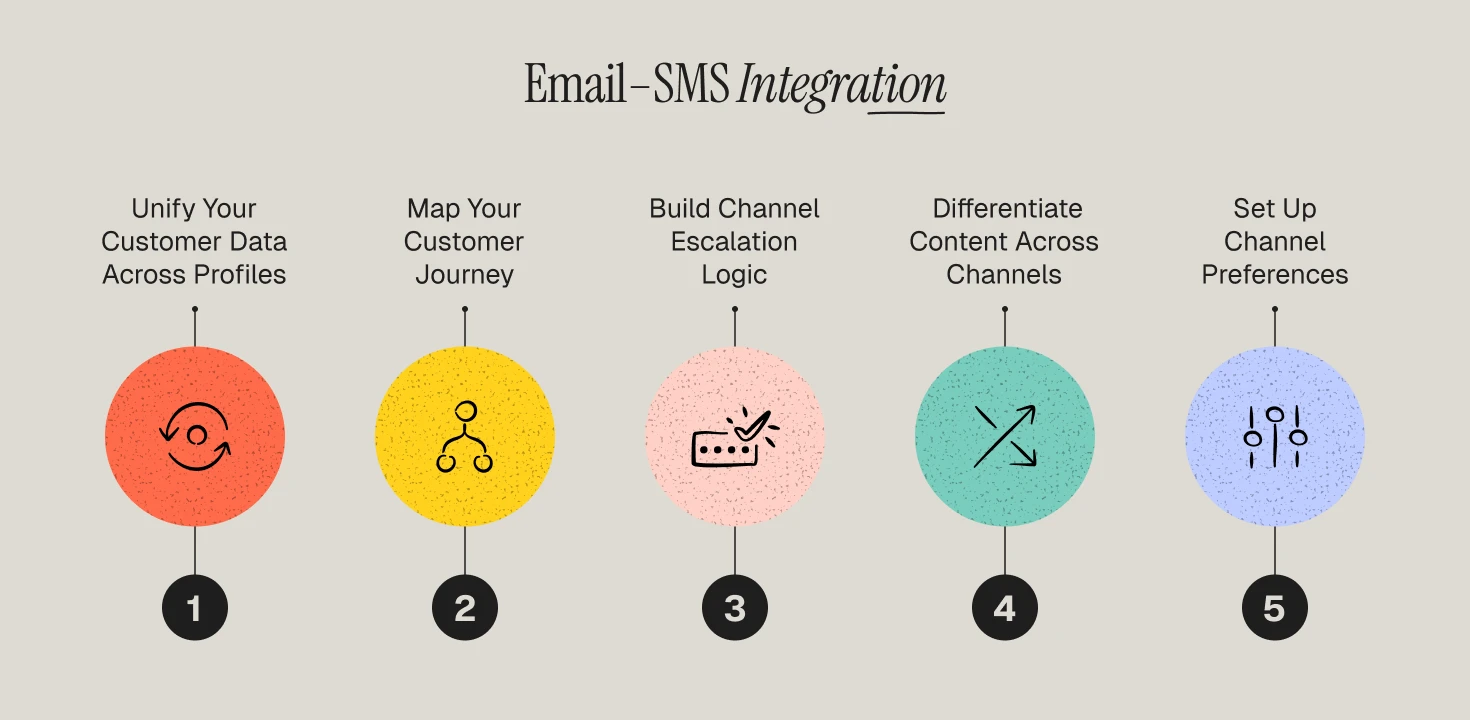
Step 1: Unify Your Customer Data
Integration starts with data. You need a single customer profile that captures email engagement, SMS engagement, purchase history, browse behavior, and channel preferences. Without unified data, you can't coordinate messages across channels.
How to do it:
Use a Customer Data Platform (CDP) like Segment or mParticle to create unified customer profiles. Connect your ecommerce platform, email tool, and SMS tool to this single source of truth. Track which customers are opted into both channels — this overlap audience is your highest-value segment.
Step 2: Map Your Customer Journey
Before building flows, map every key touchpoint in your customer lifecycle and assign the right channel(s) to each:
| Journey Stage | Email Touchpoint | SMS Touchpoint |
|---|---|---|
| Welcome | Welcome series (3–5 emails over 14 days) | Welcome SMS with discount code (Day 0) |
| Abandoned Cart | Cart recovery email (1 hour, 24 hours) | Cart recovery SMS (4 hours if email unopened) |
| Post-Purchase | Order confirmation, shipping update, review request | Delivery confirmation, reorder reminder |
| At-Risk | Re-engagement email series (Day 30, 45, 60) | Win-back SMS with direct offer (Day 35) |
| Loyalty | VIP email with exclusive content | VIP SMS with early access or flash deal |
Step 3: Build Channel Escalation Logic
The most effective integrated programs use channel escalation — if a customer doesn't engage with email, the system triggers an SMS follow-up. This prevents over-messaging while ensuring important messages get through.
Escalation framework:
Send email first (it's cheaper and provides more detail). Wait 4–24 hours. Check if the email was opened/clicked. If not, send an SMS with a shorter, more urgent version of the message. If the customer engaged with the email, skip the SMS to avoid fatigue.
This logic is straightforward to build in platforms like Klaviyo, Customer.io, and Braze using conditional flow logic.
Step 4: Differentiate Content Across Channels
This is where most brands fail. They send the same message on both channels, which makes customers feel spammed and leads to unsubscribes. Instead, use each channel's strengths:
Example: Product Launch
- Email: Full announcement with product photography, ingredient details, founder story, and "shop now" CTA
- SMS: "Our new [product] just dropped. First 100 orders get 15% off. Shop: [link]"
Example: Flash Sale
- Email (sent morning): "48-hour sale preview — here's what's included" with product grid and details
- SMS (sent afternoon): "Sale is LIVE. 30% off everything. Ends Friday midnight. Shop: [link]"
The email educates and builds anticipation. The SMS drives immediate action.
Step 5: Set Up Channel Preferences and Compliance
Not every customer wants both channels. Respect preferences by allowing customers to choose email-only, SMS-only, or both. Build preference centers into your flows and comply with TCPA regulations for SMS and CAN-SPAM for email.
Compliance essentials:
Separate opt-in for SMS (cannot be bundled with email opt-in without clear disclosure). Clear unsubscribe options on both channels. SMS quiet hours (no messages before 8am or after 9pm local time). Message frequency caps (2–4 SMS per week maximum for most brands).
Step 6: Measure and Optimize
Track performance for each channel individually AND as an integrated program:
| Metric | How to Measure | Target |
|---|---|---|
| Cross-Channel Attribution | Revenue from customers who received both email + SMS | Higher LTV than single-channel customers |
| SMS-to-Email Escalation Rate | % of SMS sent as follow-up to unopened emails | 15–25% of total SMS |
| Overlap Subscriber Rate | % of customers opted into both channels | > 40% of your list |
| Channel-Specific CTR | Click rates for email vs. SMS separately | Email: 2–4%, SMS: 19–35% |
| Unsubscribe Rate by Channel | Opt-out rates for email and SMS | Email: < 0.5%, SMS: < 2% |
Use these metrics to tune your timing, frequency, and channel escalation rules. For a deeper framework on measuring retention marketing performance, see our guide.
5 High-Impact Integrated Email + SMS Flows
Flow 1: Abandoned Cart Recovery
The flow:
- Hour 1: Email with cart contents, product images, and reviews
- Hour 4: SMS (if email unopened) — "You left [product] in your cart. Complete your order: [link]"
- Hour 24: Email with urgency (limited stock, expiring discount)
- Hour 48: SMS with final offer — "Last chance: 10% off your cart. Expires tonight: [link]"
Why it works: Abandoned cart SMS conversion rates reach 24.6–39.4%, and Klaviyo data shows abandoned cart flows earn an average of $3.65 per recipient. The multi-channel approach catches customers wherever they are.
Flow 2: Welcome Series
The flow:
- Immediately: SMS — "Welcome! Here's your 10% code: WELCOME10. Shop: [link]"
- Day 1: Email — Brand story, product highlights, how to get started
- Day 3: Email — Customer testimonials and social proof
- Day 5: SMS (if no purchase) — "Still thinking it over? Your 10% code expires in 48 hours: [link]"
- Day 7: Email — Educational content related to their browse behavior
Flow 3: Post-Purchase Reorder Reminder
The flow:
- Day of purchase: Email — Order confirmation + product usage tips
- Day 7: Email — "How's your [product]? Tips for best results"
- Day 25 (if 30-day product): Email — "Running low? Reorder [product] before you run out"
- Day 28: SMS (if email unopened) — "Don't run out of [product]. Reorder now: [link]"
This flow is especially powerful for subscription and replenishment brands.
Flow 4: Win-Back Sequence
The flow:
- Day 30 inactive: Email — "We miss you" with brand updates and new arrivals
- Day 35: SMS — "It's been a while. Here's 15% off your next order: [link]"
- Day 45: Email — Social proof from other returning customers + stronger offer
- Day 60: SMS — "Final offer: 20% off. We'd love to have you back: [link]"
- Day 90: Email — Final outreach, preference update request
For more on this approach, see our guide on how to identify and win back users who are about to churn.
Flow 5: VIP/Loyalty Tier
The flow:
- Trigger: Customer reaches VIP threshold (e.g., 5th purchase or $500 lifetime spend)
- Immediately: SMS — "You've unlocked VIP status! Exclusive perks inside: [link]"
- Day 1: Email — Full VIP welcome with benefits, early access calendar, and exclusive content
- Ongoing: SMS for flash deals and early access; Email for exclusive content and previews
Timing and Frequency Framework
| Channel | Best Send Times | Maximum Frequency | Quiet Hours |
|---|---|---|---|
| Tue–Thu, 9–11am or 1–3pm | 3–5 per week | None (but limit weekend sends) | |
| SMS | Tue–Sat, 10am–8pm | 2–4 per week | 9pm–8am local time |
| Combined | Stagger by 4–6 hours minimum | Total: 5–7 touches per week | Respect both channel limits |
According to Attentive's integration guide, emails work best in the morning or early afternoon when people check their inboxes, while SMS messages perform well in the late afternoon and evenings when people have time to act. Stagger your sends to avoid hitting both channels within the same hour.
Platform Options for Email + SMS Integration
| Platform | Email + SMS? | Best For | Key Strength |
|---|---|---|---|
| Klaviyo | Yes (native) | Shopify ecommerce brands | Unified email + SMS in one platform |
| Attentive | SMS-focused (+ email) | Enterprise SMS-first brands | Advanced AI-driven SMS personalization |
| Customer.io | Yes (native) | SaaS, healthtech, complex flows | Event-driven multi-channel automation |
| Braze | Yes (native) | Enterprise cross-channel | Real-time orchestration at scale |
| Postscript | SMS-only | Shopify SMS-focused | Deep Shopify integration, cost-effective SMS |
| Omnisend | Yes (native) | SMB ecommerce | Affordable all-in-one for smaller brands |
For brands using Klaviyo, the integration is built in — email and SMS share the same customer profiles, segments, and flow builder. For more complex setups requiring multi-platform orchestration, agencies like Propel build unified programs across Customer.io, Braze, and Klaviyo.
Frequently Asked Questions
How do I integrate email and SMS campaigns?
Start by unifying your customer data in one platform or CDP, then map your customer journey and assign the right channel to each touchpoint. Build channel escalation logic (email first, SMS follow-up for non-openers), differentiate content across channels, and measure performance both separately and as an integrated program. Our omnichannel orchestration guide covers the full framework.
Will SMS and email together annoy my customers?
Not if you do it right. The key is differentiation and escalation — don't send the same message on both channels simultaneously. Use email for detailed content and SMS for urgent, actionable messages. Implement channel escalation so SMS only fires when email doesn't get engagement. 58% of consumers actually prefer receiving promotions on multiple channels when the content is relevant.
What's the best platform for email and SMS integration?
Klaviyo is the best option for most Shopify-based ecommerce brands because email and SMS share the same platform, data, and flow builder. For enterprise brands needing advanced orchestration, Braze offers real-time cross-channel coordination. For SaaS and healthtech, Customer.io provides powerful event-driven multi-channel automation.
How often should I send SMS messages?
Most brands should limit SMS to 2–4 messages per week to avoid fatigue and opt-outs. Elite SMS programs maintain 97–99% subscriber retention by keeping frequency low and relevance high. Transactional messages (order confirmations, shipping updates) are in addition to this and generally don't count toward the frequency cap.
How do I measure the ROI of integrated email + SMS?
Track three layers: individual channel metrics (email CTR, SMS CTR), integrated metrics (cross-channel conversion rate, overlap subscriber LTV), and program-level metrics (total email + SMS revenue as percentage of total revenue). Customers opted into both channels should have measurably higher LTV than single-channel customers — if they don't, your integration isn't working.
